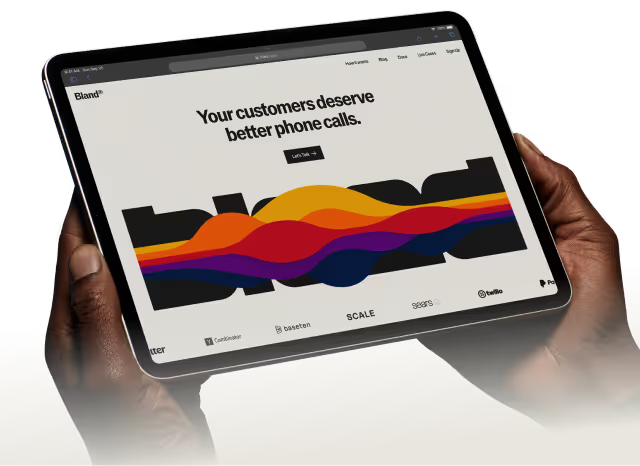

In automated call settings and technology, long hold times, repeated questions, and overworked agents still eat budgets and hurt customer experience. What Is Call Center Automation, and how can it turn those problems into faster, more reliable support? This article breaks down practical uses of IVR, chatbots, speech recognition, CRM integration, predictive routing, workflow automation, and omnichannel support so you can implement automation that speeds service, boosts agent productivity, and lowers cost. You will also see how call deflection and self-service fit into real workflows to maintain consistent service.
Bland AI's conversational AI brings those tools together in a simple way so your team can deliver faster, more efficient, and more consistent support while cutting agent workload and operating costs.
Summary
- Automation adoption is accelerating, with Sprinklr forecasting that 80% of customer interactions in call centers will be automated by 2025, forcing teams to prioritize integration, forecasting, and vendor selection now.
- Measured cost reductions are significant, with McKinsey estimating up to a 30% drop in operational costs from call center automation, making automation a clear lever for margin relief.
- When knowledge bases, intents, and handoffs are continuously engineered and governed, automated systems can handle up to 60% of customer inquiries, according to Xima, but that ceiling depends on ongoing maintenance.
- Effective governance and observability are nonnegotiable operational controls, for example, run A/B tests over 4 to 8 weeks, sample 50 conversations weekly for qualitative QA, and log every automated decision with a unique trace ID to catch drift and failures.
- Agent workload and retention improve when low-value tasks are removed, and 47% of managers identify turnover and absenteeism as major problems that automation can help address by shifting agents to higher-value work.
- Quick point-solution fixes scale poorly, and only about 30% of call centers had implemented some form of automation by 2025, indicating widespread adoption but unevenness and that fragmented stacks increase mean time to remediate.
This is where Bland AI fits in: conversational AI helps teams centralize intent and preserve conversation context, reducing handoffs and shortening mean time to remediation.
What Is Call Center Automation?

Call center automation uses software and AI to automate repeatable customer service tasks, such as:
- Routing calls
- Answering common questions
- Updating records
That human agents can handle the tricky, high-value conversations.
It brings together:
- AI chatbots and virtual assistants
- Interactive voice response with speech recognition
- Robotic process automation
- Ticketing systems
- Analytics that plug into your CRM and telephony stack
What Tools Make Automation Happen?
Start with the obvious building blocks:
- IVR and automatic speech recognition for phone menus, chatbots, and voice-enabled virtual assistants for self-service
- RPA for back-office work
- Real-time analytics for sentiment and intent detection
These systems are not separate islands; they must exchange context, so integrations with CRM, billing, and order systems are nonnegotiable if you want the machine to pick up where the customer left off.
How Does Automation Actually Work Under The Hood?
Pattern recognition governs the flow:
- Event triggers capture inbound contacts
- Intent detection classifies them
- Workflow orchestration decides the path
- RPA executes the transactional steps
Use rules-based automation when inputs are structured and predictable, and apply machine learning and NLP when you need the system to understand free text or spoken phrasing. The tradeoff is practical and straightforward: rules are fast to deploy but brittle, while models require data and tuning but scale across edge cases.
Why Should Operations Care Right Now?
Adoption is accelerating, and that matters for capacity planning and vendor choices, because according to Sprinklr's 2023 findings, 80% of customer interactions in call centers are expected to be automated by 2025, and organizations are moving quickly toward self-service.
On the cost side, the payoff is measurable: McKinsey & Company in 2025 estimated that call center automation can reduce operational costs by up to 30%, which explains why leaders push for automation when margins tighten. Operationally, that means you can expand 24/7 coverage and reallocate headcount to casework that actually needs human judgment.
What Do Teams Actually Want To Fix?
This pattern appears across retail, telecom, and SaaS support: repetitive tasks pile up as volume grows, and teams push for automation to offload that work so agents can focus on complex issues.
It’s exhausting when talented agents spend their days on password resets and status checks instead of resolving escalations. When automation removes those chores, morale and first contact resolution both improve.
How Do You Make Automation Effective In Practice?
Integration matters more than flashy models.
- The first requirement is seamless data flow so the system can present a caller’s history rather than a blank slate.
- Natural expression is essential; if customers encounter rigid menus that require precise phrases, containment breaks down.
- Language flexibility and accent robustness determine whether your automation actually reduces calls instead of increasing transfers.
Think of automation as a stage manager, cueing the right actor at the right time; when cues are off, the performance falls apart.
The Cost of Fragmentation: Why Point Solutions Break Down Customer Context
Most teams handle this by bolting point solutions onto legacy telephony because it is familiar and fast to try. As call volume and channel diversity grow, those quick fixes fragment context, create duplicate work, and lengthen handle times.
Platforms like Bland AI provide a different path:
- They centralize intent detection
- Unify routing rules with CRM context
- Automate transactional steps
It compresses routine handling time and preserves the full conversation history when a human must intervene.
What Failure Modes Should You Watch For?
Automation works until it doesn’t. Usually, the system never learns, because one of three things breaks:
- Data silos starve models of context
- Poorly designed fallback paths create repetitive transfers
- Monitoring and feedback loops are missing
The pragmatic rule is to instrument every handoff, measure containment and escalation rates, and treat your automated flows as living processes that require continuous tuning.
That may sound like progress, but the real challenge is deciding which tasks truly belong to the machine and which must stay human. That choice is where the next, more profound questions begin, and they matter more than most teams realize.
Related Reading
- What Is a Good CSAT Score
- What Is a Good NPS Score
- How to Scale Customer Support
- NPS Survey Best Practices
- Advanced Call Routing
- SaaS Customer Support Best Practices
- Contact Center Automation Use Cases
- Intelligent Routing Call Center
- AI Powered IVR
- Call Center Robotic Process Automation
- Call Center Automation Trends
- Customer Sentiment Analysis AI
Main Types of Call Center Automation

Automation in call center groups into distinct toolsets:
- Customer-facing conversation systems
- Agent-facing aids
- Orchestration and workforce engines
- Outbound dialing/messaging platforms
Each type solves:
- A different bottleneck
- Demands different integrations
- Is measured by different KPIs
You must choose and tune them with those differences in mind.
How Do IVR Systems And Intelligent Virtual Agents Behave Differently At Scale?
IVR menus and voice-enabled IVAs serve the same goal, self-service, but they scale along different axes.
IVR is predictive routing and data capture, so its engineering priorities are:
- Low latency
- Robust DTMF/fall‑back
- Short deterministic flows
IVA systems require longer context windows, stateful sessions, and runtime model governance because they handle multi-turn conversations and may interact with back-end transactions.
Tuning the Handoff: Optimizing AI-to-Agent Escalation for True Resolution
In practice, this means you set confidence thresholds that route to an agent when intent certainty drops below a fixed value, and you instrument the handoff. The agent receives the last 90 seconds of context and recommended actions.
Tune these thresholds with:
- A/B tests over four to eight weeks
- Track containment:
- Rate
- Transfer rate
- Escalation time is your core metric
Why Does Forecasting And Scheduling Matter Beyond “Fewer Understaffed Shifts”?
Forecasting tools are about rhythm and slack, not just making a schedule. The tricky parts are intraday reforecasting and handling multichannel shrinkage.
Systems must consume updated:
- Channel volumes
- Live adherence
- Agent availability
Recompute break-even staffing every 5 to 15 minutes.
The operational rule I follow: keep at least six months of channelized history, include holiday and campaign flags, and design your scheduler to support rapid trades and automated PTO approvals so supervisors can reduce manual edits.
The realistic success metric is weekly forecast error reduction, not just “did we fill shifts.”
Where Do Workflow Automations Return The Most Value?
Workflow automation shines when predictable system-to-system work results in repeated context switches. Typical wins are CRM writes after calls, automated case creation when a payment fails, or conditional escalations when SLA windows close. Do not treat workflows as one-off scripts.
Build idempotent actions, retry logic, and clear audit trails so an automation can be rerun safely. The frequent failure mode I see is brittle connectors: a field rename breaks 20 flows. Avoid that by versioning your schemas and giving nontechnical owners a change preview before a connector deploys.
What Changes Inside An Agent’s Headset When Live-Agent Guidance Is Active?
Live guidance changes the interaction dynamic, and agents notice immediately; some lean in, some push back.
The tech delivers:
- Real-time transcripts
- Suggested replies
- Nudges to pace or show empathy when sentiment drops
Latency matters: aim for sub-800 millisecond transcription-to-suggestion time so prompts feel synchronous, not distracting.
Operationally, protect agents from alert fatigue by grouping suggestions and exposing only high‑value cues, like:
- Escalation risk
- Intent mismatch
- Required compliance language
Supervisors use the same stream for coaching, turning reactive QA into proactive coaching opportunities.
When Should Teams Rely On Proactive Outbound Messaging Rather Than Repetitive Calling?
Proactive messaging is a channel optimization problem.
Use it when an action is event-driven and low-friction, such as:
- Payments
- Appointment reminders
- Shipping updates
The two engineering constraints are channel preference resolution and frequency capping; match the message format to the customer’s consent profile and set throttles to avoid churn. For regulated markets, add timestamped consent records and automatic opt-out handling. When you get this right, you sharply reduce live handle time while preserving customer experience.
Which Auto-Dialer Model Best Fits Different Outbound Goals?
Auto dialers come in flavors because human availability and legal risk differ. Use preview dialing when conversations are complex, and agents need prep; power dialing when volume matters, and agents can handle short calls; and predictive dialing when your system can forecast agent availability with low abandon rates.
The tuning knobs are:
- Pacing algorithm
- Abandonment rate ceiling
- CRM sync cadence
A simple rule: prioritize customer experience over maximum throughput; a slight increase in wait time often beats repeated hangups and compliance headaches.
The Debugging Deadlock: Why Opaque Logs and Decision Paths Cripple Optimization
After auditing three enterprise deployments over six months, the pattern became clear: fragmented logs and opaque decision paths leave engineers and analysts frustrated because they cannot trace why a bot handed off or why a workflow failed.
That operational friction looks small until you try to improve containment or debug customer complaints.
The Centralization Advantage: Transforming Ad Hoc Scripts into Traceable Automation
Most teams stitch these automations together with scripts and ad hoc integrations because it is familiar and quick, which works at first.
As volume and channels grow, that approach hides context in:
- Separate tools
- Handoffs multiply
- Mean time to remediate climbs
Platforms like Bland AI, for example:
- Centralize intent context
- Provide real-time routing rules
- Surface audit trails
It enables teams to reduce handoffs and iterate on flows faster while preserving compliance and traceability.
Practical Governance And Observability You Should Demand Now
Treat automation like production software. Enforce change windows for routing rules, run canary releases for new IVA models, and log every automated decision with a unique trace ID that follows the contact across channels.
Use contained, measurable experiments:
- Roll out a new IVA intent to a subset of traffic for two weeks and measure containment
- CSAT
- Escalation variability before wider deployment
The Automation Ceiling: Bridging the Gap Between Current Adoption and 60% Containment
A final data reality check: According to Xima Software, 30% of call centers have implemented some form of automation. In 2025, adoption is widespread but still uneven across industries and maturity levels. Also, remember the potential ceiling.
Xima Software reports that automated systems can handle up to 60% of customer inquiries without human intervention, which is plausible only when knowledge bases, intents, and handoffs are continuously engineered and governed.
That insight changes the work: automation is not an install-and-forget project; it is a product that needs roadmaps, owners, and repeatable release discipline. That one surprising bottleneck will make it much more complicated to claim the benefits than you expect.
Related Reading
- Interactive Voice Response Example
- Automated Lead Qualification
- What Is Telephone Triage
- IVR Best Practices
- Escalation Management
- GDPR Compliance Requirements
- Customer Request Triage
- How to Improve Customer Service
- Brand Building Strategies
- How to Improve NPS Score
- Best Customer Support Tools
- How to Develop a Brand Strategy
- How to Handle Inbound Calls
Benefits of Automation in Call Centers

Automation delivers clear, measurable gains across:
- Cost
- Capacity
- Experience
It removes low-value work and makes every interaction easier to scale and audit. When clear ownership and feedback loops are in place, these improvements compound quickly and shift where your team spends its time.
1. Cost Reduction
Automation eliminates repetitive manual tasks such as data reconciliation and skill-based routing, reducing the need for temporary hires and overtime. That frees budget to invest in training and specialty roles that actually move metrics.
2. Improved Customer Satisfaction
Faster containment and fewer transfers keep customers calmer and more likely to finish a purchase or stay loyal. When service feels reliable, customers stop punishing friction and start rewarding consistent outcomes.
3. Enhanced Accuracy
Automated transactions and audit logs prevent transcription errors and lost context, thereby reducing compliance risk and the corrective work that erodes margins. Accuracy here is a quality control lever, not just a nice-to-have.
4. Scalability
You can absorb campaign spikes or product launches without linear headcount growth because software automation scales, not people. That means predictable capacity planning instead of frantic hiring sprints.
5. Better Data Management
Automations capture structured signals from every interaction, feeding continuous improvement loops for intent models and agent scripts. Over time, your knowledge base stops being a static document and becomes an active decision engine.
6. Consistent Service Quality
Automation enforces brand and regulatory language so responses don’t drift by shift or by mood. Consistency builds trust; trust reduces repeat contacts and expensive escalations.
7. Enhance Your Efficiency
Automated steps and quicker routing increase agent throughput by removing context-switch overhead and unnecessary clicks, so more complex issues get the time they deserve.
You can see this reflected in field results like CallMiner, “30% increase in productivity,” when teams commit to end-to-end workflow automation.
8. Eliminate Repetitive Tasks
When we automated After-Call Work for a mid-size retail support team over six weeks, the repetitive ticket updates and CRM writes disappeared, and agents shifted to problem-solving, which improved morale and reduced the daily grind.
9. Increase Customer Satisfaction
Automation reduces wait times and improves first-contact clarity, thereby increasing perceived value.
Small wins here compound:
- Fewer repeats
- Fewer complaints
- Stronger word of mouth
10. Improve Agent Engagement
Relief from mundane chores changes daily work. That matters because 47 percent of managers point to turnover and absenteeism as significant problems, and reducing low-value work directly curbs burnout and voluntary exits.
11. Boost First Call Resolution And Other Key Metrics
Automated context enrichment and targeted routing mean callers reach the right expertise faster, lifting FCR and compressing average handling time. Those KPI improvements are the operational proof that the automation is helping the business, not just the tech team.
12. Reduce Operational Costs
On the budget line, you see tangible impact, as reported by CallMiner, “40% reduction in operational costs,” where centers replaced manual handoffs and redundant tasks with automated flows.
13. Deliver 24/7 Customer Support
Self-service layers and asynchronous messaging let you meet customers outside standard hours without running night shifts, preserving brand experience while keeping payroll predictable.
Escaping the Stitch-and-Fix Trap: Centralized Platforms vs. Fragmented Point Solutions
Most teams handle this with stitched scripts and point tools because that is familiar and quick. As traffic and edge cases grow, those quick fixes fracture context, trips to different systems multiply, and mean time to fix climbs.
Teams find that platforms like Bland AI:
- Centralize intent
- Unify routing logic
- Automate back-office writes
To compress handoffs and reduce rework without ripping out existing systems. There is more to learn about which adoption path avoids the common traps and actually sustains these gains.
Call Center Automation Best Practices
Start by narrowing the scope and running short, measurable pilots:
- Pick one repeatable task
- Automate it end-to-end for 4–8 weeks
- Measure customer outcomes and the time agents reclaim before scaling
Do that, and you lower the risk while learning the fundamental failure modes fast.
What Should We Automate First?
Run a Pareto on volume and handle time, then score tasks by:
- Predictability
- Data availability
- Customer impact
Prioritize items that have:
- High frequency
- Clear success criteria
- No regulatory landmines
Use this checklist before a pilot:
- One owning stakeholder
- A rollback plan
- A single KPI (for example, containment or handle-time saved)
- A deployment window limited to a week
Ship small, measure daily, then decide to expand or shelve.
How Do We Keep Automation Human-Friendly?
Treat automation as a trusted concierge, not a gatekeeper. Always offer a clear exit to a live agent, surface estimated wait times, and let customers request callbacks or channel switches without losing session context.
Personalization matters here: pull three customer signals into the first automated prompt, such as:
- Account tier
- Last action
- Open ticket count
The bot sounds informed rather than scripted. The difference between helpful and hostile automation often comes down to a single, confident sentence that acknowledges the customer and offers control.
Which Performance Signals Should We Monitor Constantly?
Track leading and lagging indicators together:
- Containment rate and transfer rate for the immediate signal
- CSAT and repeat contact within 48 hours for experience
- False-positive intent classification for model health
Use control charts to watch for drift, and set automated alerts when the transfer rate moves two standard deviations above baseline. Add a weekly sample of 50 conversations for qualitative QA, flagged into:
- “Bot-correct”
- “Bot-misroute”
- “Handed-off-well”
Feed those labels back into intent training every month.
How Do We Personalize At Scale Without Exploding Complexity?
Use a small set of deterministic personalization knobs rather than a bespoke script per customer.
Segment customers by:
- Value
- Complexity
- Consent
Map each segment to a templated path that pulls only the fields you need.
Guardrails are nonnegotiable:
- Mask PII
- Verify consent before using behavioral predictions
- Fall back to neutral language when confidence is low
Think of it as radio presets: a handful of stations that cover most listening preferences, rather than an infinite dial.
How Should Agents Be Trained To Partner With Automation?
Design a three-phase learning path: awareness, co-handling, then ownership.
- In phase one, walk agents through the automation decision tree and show the exact data the bot will present.
- In phase two, run parallel sessions where agents take over after a bot handoff and compare scorecards.
- In phase three, give senior agents the right to edit canned responses and add intent synonyms, plus a monthly forum to vote on updates.
Create automation champions in each shift who act as the bridge between engineers and the floor.
What Operational Controls Prevent Brittle Automations?
Require schema versioning for every integration and enforce idempotent workflow actions so replays are safe. Keep a single event stream of contact context that every tool reads from and writes to, and automate schema-change previews to nontechnical owners before deployment.
Run dependency heat checks monthly so a renamed CRM field does not silently break 20 flows overnight.
The Hidden Cost of Familiarity: Why Decentralized Context Cripples Debugging at Scale
This is what happens in the field: choosing tools by familiarity often works early, but then context splinters and debugging becomes a day-long scavenger hunt.
Teams find that the familiar approach is low friction at first, but as traffic and channels grow, these factors fix climbs:
- Threads fragment
- Handoffs multiply
- Mean time
Platforms like Bland AI:
- Centralize context
- Surface traceable decision logs
- Provide real‑time recommendations
It shortens investigation time and maintains consistent routing as scale increases.
The Dual Returns of Disciplined Rollout: 25% Higher CSAT and 40% Productivity Gains
Expect real experience gains when you do this well, since Readymode reports implementing AI in call centers can increase customer satisfaction by 25%.
And because throughput usually improves alongside better workflows, note that the same article found call centers using automation see a 40% increase in productivity, which shows why disciplined rollout matters.
Treating Governance as Pruning: The Continuous Feedback Loop for Preventing Automation Degradation
It’s exhausting when analytics aren’t reviewed regularly, and automation quietly degrades; make weekly ops reviews nonoptional, pair quantitative alerts with a small qualitative sample, and reward agents for flagging repeat failures.
When agents feel heard and can change the bot, adoption follows. Think of automation governance like pruning a hedge, not planting a forest:
- Short
- Regular trims keep the shape
- Sightlines intact
Want to know what changes on day one when a live voice agent replaces part of that pilot, and why people’s reactions surprise operators every time?
Related Reading
- Best Call Center Software Solutions
- How to Grow a Brand
- Best IVR Experience
- Best Customer Service Automation Software
- Voice AI Alternative
- Best IVR System
- Best AI Customer Service
- Best IVR Service Provider
- Best Answering Service
- Best IVR System for Small Business
- How to Improve CSAT Scores in a Call Center
- Best Cloud Telephony Service
- How to Make Google Voice HIPAA Compliant
- Inbound Call Marketing Automation
Try our Conversational AI Agents for Free Today
Most teams accept robotic automation because it is familiar. Still, that convenience erodes engagement, so consider platforms like Bland AI for conversational AI in call center automation that centralizes voice context and routing, and pair that orchestration with Voice AI's voices to turn automated touchpoints into conversations people prefer, like replacing a tinny intercom with someone sitting beside the caller.